|
Create a FileCreate a File
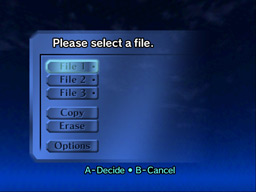
To create a file for your progress to be saved, select one of the three file slots from the main menu.
NOTE: Most cartridges today are purchased pre-owned. Therefore, you will likely find one or more file slots already in use. To free up one of these slots, select Erase, and then select the file you wish to remove.
|
|
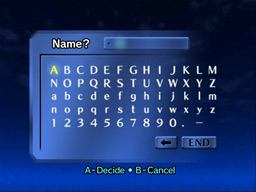
You will be prompted to enter a name for your file. This name will be used both to identify your file and to address your character in the game’s dialogue, so choose wisely.
|
|
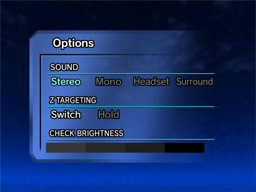
Once you’ve selected a name for your file, you will be returned to the main menu. You may wish to take this opportunity to review your game options and make any necessary changes.
When you’re ready, select your file and press A to begin.
|
Prev. Page II Next Page
Table of Contents
|